
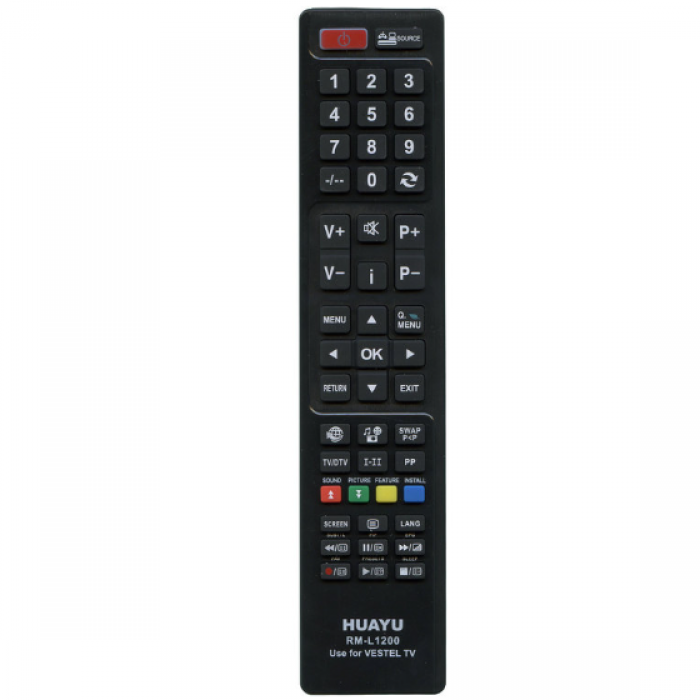
The RM-L1200 universal remote control is a practical solution for a wide range of TVs. It works with many brands, is compatible with popular models, and does not require complicated setup. It is ideal for replacing a lost or broken original remote control.
Advantages of the remote control:
- Compatible with hundreds of models without the need for additional setup
- Has memory of settings: does not require reconfiguration after replacing batteries
- Operating range — up to 10 meters
- Convenient setup: manual or automatic
- Support popular brands through quick setup
| Suitable for equipment | KAON: CO3510, RC-88 (code 027) ALPARI: LH22S56UB (code 001), LH22S80UR (code 001) DANTAX: 22LED300 (code 000, 001) DUAL: DTV 700 (code 000) ERGO: LE24M3W (code 001) FINLUX: 32FLD850HU HITACHI: RC4848 (code 032) HUAYU: RM-175CH HYUNDAI: LLH26714MP4R (code 001) JVC: LT19DD30J, LT19DD3J, LT22DD3J, LT22DD52J, LT24C656, LT24V250, LT26HA30U, LT32C345, LT32C345A, LT32C346A, LT32DA30J, LT32V250, LT32V343, LT32V351, LT32V450, LT32V550, LT40DG51J, LT40TG30J, LT40V550, LT40V750, LT42TG30J, LT50V750, LT55V953, RC4880, RM-C3095 MEDION: MD30325S (code 000) MEREDIAN / ORION: LT32D13 (code 001), RC3920 (code 001) POLAROID: P32LCD12 PROSONIC: PS22D111W RAINFORD: RC-1165 (code 006), RC-2040, RC1900 (code 001), RC2440 (code 020), RC5110 (code 001), TFT-3283TSA SHARP: RC4846 (code 009) SILVERCREST: LCD-TV 19101 DVD, 19111 DVD, 22101, 22101-HD, 22104, 32104 (all code 001) TELEFUNKEN: D32F289R3C, D32H265 (code 001 — basic functionality) TEVION: MD7078VTS (code 014) VESTEL: RM-L1200 |
| Microchip: | Special chip |
| SYS code: | various codes |
| Power supply | 2 × AAA |
Advantages:
- 🔄 Supports dozens of models from popular brands.
- 🔋 Operates on 2 AAA batteries.
- 🛠 Easily configurable if needed — instructions included.
- ✔️ The perfect solution for replacing an old or lost remote control.
📸 Please note: The photo of the product may differ slightly from the real image (shade, button location, etc.).
📦 Delivery cost is paid by the customer according to the delivery service rates.
🔁 Exchange / return option — according to the store's terms.
Remote control settings:
UNIVERSAL REMOTE CONTROL INSTRUCTIONS RM-L1200
1. Manual code entry:
- Turn on the TV manually and point the remote control at the TV
- Press the POWER and SOURCE buttons simultaneously. The indicator will light up — release the buttons
- Enter the code according to the table
- If the TV responds (e.g., the volume), the setup is complete. Otherwise, repeat
2. Automatic setup:
- Turn on the TV manually
- Hold down the POWER button for 6 seconds
- When the TV responds (e.g., the volume indicator appears) — release the button
- Settings saved automatically
Why order from WST?
We don't just send a remote control — we understand how critical it is that it works from the first press. When others write «compatible» — we test. When a non-standard situation arises — we don't ignore it, we solve it. WST — is about experience, detail and a genuine desire to help. And yes, we love remote controls — almost as much as you love your TV 😄

