
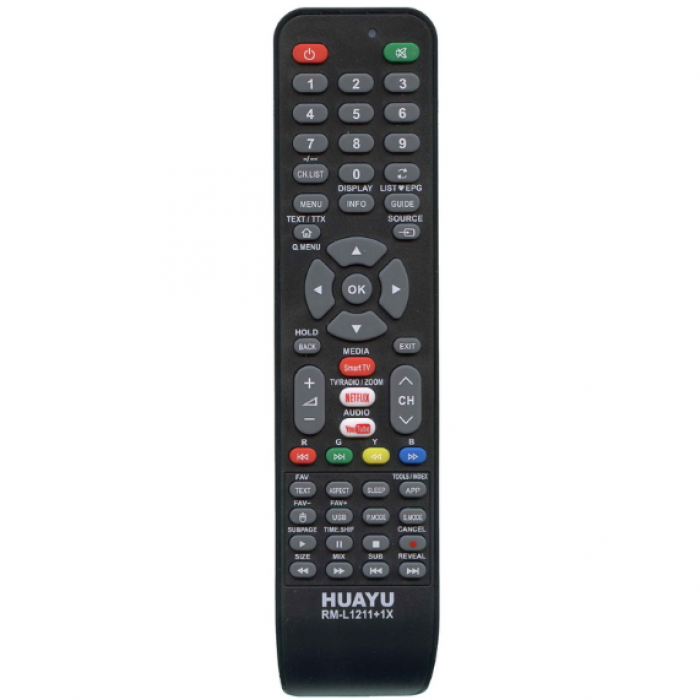
The RM‑L121 universal remote control for LCD/LED TVs. Works with popular brands without additional settings or with a simple code search. Has a function of saving settings after replacing batteries.
| Model | HUAYU RM‑L1211 |
| Suitable for models (codes) | AKAI (005, 006, 007, 011, 012, 013, 014, 015, 016, 017, 054, 067, 068, 101, 117, 120, 125, 127, 138, 141, 142, 143, 155, 182, 249), AOC (025), BRAVIS (158), EP-21, LED2868 (003, 012, 037, 038, 039, 100, 128, 144, 200-202), LCC-2632 (007), LED-32M8000 (012), LED3228 (011), CHANGHONG (012), DEX (008), DIGITAL (092), ELECTRON (012), ELENBERG (050, 053, 055, 113, 146, 163, 169, 221, 231, 244), ERGO (035, 040, 041, 051, 052, 105, 171), FUSION (012), GRUNHELM (012), HARPER (057, 058, 170), HILTON (008), HOFFSON (156), HYUNDAI (063), LIBERTON (005, 006, 009, 024, 049, 054, 061, 093, 109, 140), LIBERTY (173), LUXEON (035, 040, 041, 074, 105), MANTA (121, 180), MYRTH (029, 034), OUTBOND (167), POLAR (159), ROMSAT (008, 009, 028, 042, 073, 106, 107, 129, 132, 153, 167), SAMSUNG (016, 131, 167), SATELLITE (642), SATURN (043, 081, 094, 111, 114, 115, 116, 122, 137, 145, 168, 172, 230), SUPRA (008, 073, 123, 132, 151), TCL (133), TELEFUNKEN (139, 147), THOMSON (149, 150) |
| Microchip | Several types |
| SYS remote control code | Several codes |
Main advantages of HUAYU RM‑L1211
- ✅ Works with LG, Samsung, Sony, Philips, Panasonic, Sharp, Toshiba TVs — without any settings
- ✅ For other brands — simple installation according to the instructions
- ✅ Has a permanent memory function — does not require re-setting after replacing batteries
- ✅ High quality materials — ABS plastic, reliable infrared transmission
- ✅ Guaranteed compatibility with a wide range of TV models
Setup instructions (Brand search)
- Turn on the TV. When the image appears on the screen, point the remote control at the TV.
- Press and hold the brand buttonfor 3 seconds. The indicator will start flashing — this means that the remote control has entered the code search mode. As soon as the TV responds (for example, the volume indicator appears), release the button. The setup is complete.
- Check other functions of the remote control, such as the «Mute» button. If it does not work — repeat the procedure.
Brand button combinations:
| 1 | Samsung |
| 2 | LG |
| 3 | SONY |
| 4 | Philips |
| 5 | Sharp |
| 6 | Toshiba |
| 7 | Panasonic |
| 8 | Hitachi |
| 9 | Telefunken |
🔹 Please note: The remote control is a reliable replacement for the original. The appearance may vary slightly depending on the batch. Photos are provided upon request. Returns and exchanges are possible according to the store's terms and conditions.
Related Products

Remote control for JVC LT-32MU380 TV — a simple and reliable solution if the original remote i..
97 ₴

A full replacement for ROMSAT TVs of the F182 and F189 series. Reliable, convenient and easy to use ..
138 ₴

The RC14 remote control is compatible with the popular KIVI UX10 and HX10 TV series. It provides sta..
196 ₴


The remote control for the Romsat 43F182T2 TV is a high-quality and fully compatible remote control ..
138 ₴