

The YTH-SN-2549 crimping pliers are a tool that is well known to anyone who has ever assembled wiring for Arduino, 3D printers, RC models, power supplies, or repaired electronics with Dupont or JST connectors. These pliers are usually used to crimp small, uninsulated contacts, where accuracy and proper contact are important, not just "pressing to hold."
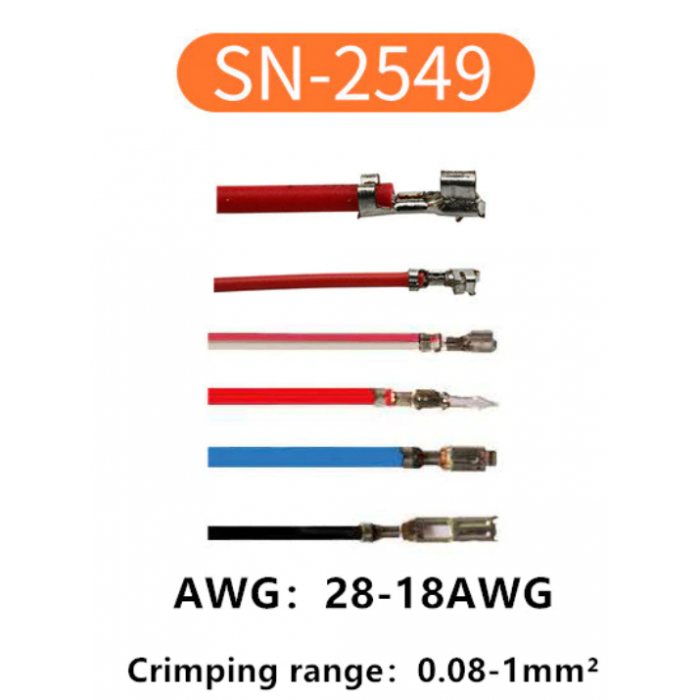
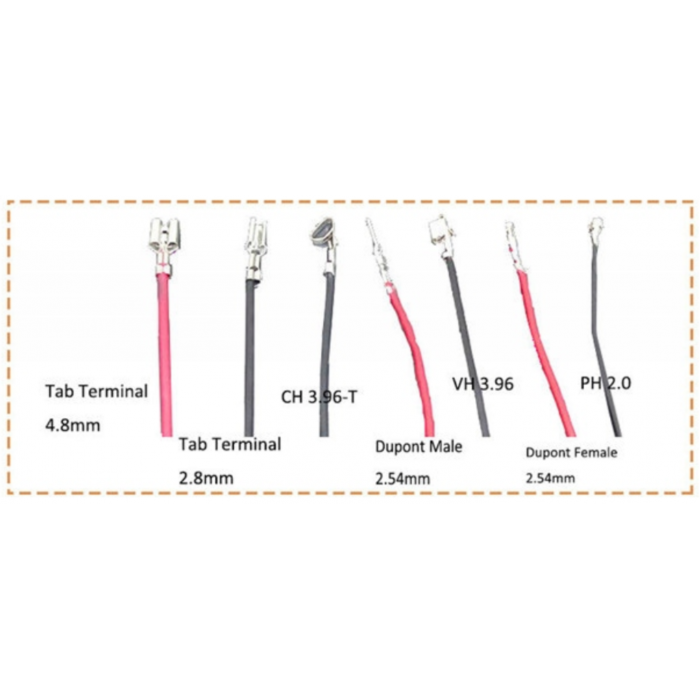
The SN-2549 is designed to work with popular connectors PH 2.0, XH2.54, JST, Dupont, KF2510, Molex, and other similar series. The tool works well even with thin wires, where cheap crimpers often crush the contact or make a crooked crimp.
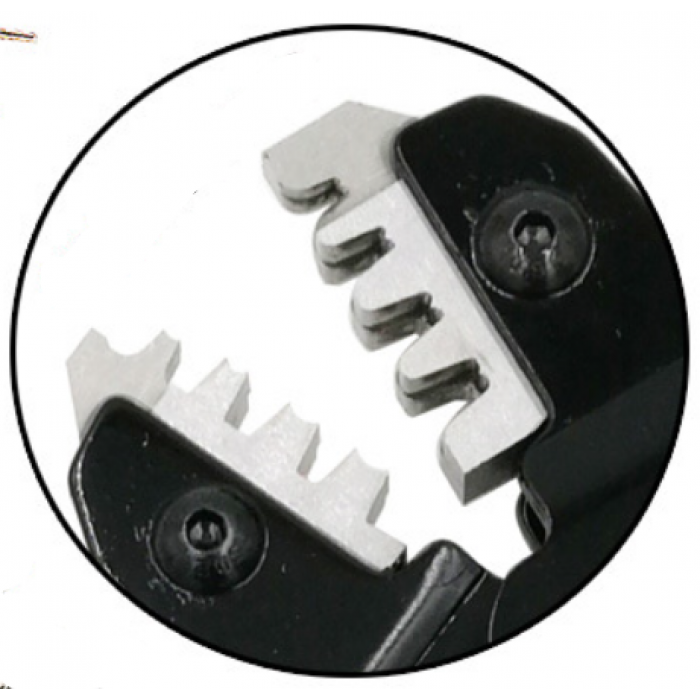
The main advantage of this model is the ratchet mechanism. It does not allow the pliers to open until the contact is pressed completely. This ensures uniform and distortion-free crimping, which is especially noticeable on small Dupont or JST terminals.
Features of YTH-SN-2549
- 🔧 For crimping non-insulated Dupont, JST, XH, PH and Molex contacts
- ⚙️ Ratchet mechanism for uniform crimping
- 📏 Suitable for AWG 28-18 (0.08-1.0 mm²) wires
- 🧰 Works well with small electronics connectors
- ✋ Comfortable handles with a normal grip without slipping
- 🔩 There is an adjustment of the jaw pressure
- 🛠️ Neat crimping without severe contact damage
Compatibility with connectors
The pliers are compatible with most popular contacts and connectors:
- JST
- Dupont
- Molex
- PH 2.0
- XH 2.54
- KF2510
- 2.54 / 2.8 / 3.0 / 3.96 / 4.8 mm
Setup and operation instructions
- Contact and wire selection
Use contacts for wire in the range 0.08-1.0 mm² (AWG 28-18). For thin Dupont wires, AWG 26-28 is most often used. - Wire stripping
Remove approximately 2-3 mm of insulation. Do not strip too long - the wire may protrude beyond the contact. - Contact installation
Open the pliers and insert the contact into the corresponding groove of the matrix. First, press the pliers lightly so that the contact is fixed and does not fall out. - Wire insertion
Insert the wire into the contact so that the cores are under the inner tabs, and the insulation - under the outer ones. - Crimping
Gently squeeze the handles until the ratchet mechanism is fully engaged. Do not try to open the pliers earlier - the mechanism will release the handles after correct crimping. - Check
After crimping, the contact should not be removed from the wire by hand, and the wire itself should not wobble inside the terminal.
Adjusting the crimping force
If the contact is crimped too weakly or, conversely, is severely deformed, you can adjust the clamping force:
- ➕ Turn the regulator towards «+» — stronger crimping
- ➖ Turn towards «−» — weaker crimp
For thin Dupont contacts, a medium position is usually sufficient without overtightening.
Technical specifications
| Model | YTH-SN-2549 |
| Type | Contact crimping pliers |
| Terminal type | Non-insulated open contacts |
| Range crimp | 0.08–1.0 mm² (AWG 28–18) |
| Mechanism | Ratchet |
| Material | High carbon steel |
| Handle material | PP plastic |
| Length | 190 mm |
| Weight | 331 g |
The SN-2549 is particularly convenient to use because it does not require much effort. Even after dozens of contacts, your hands don't get as tired as with cheap "no-name" pliers. And the ability to adjust the crimping force allows you to adjust the tool to different types of contacts and metal thickness.
In the WST store, these pliers are often taken for both home projects and service work. This is a good option when you need accurate crimping without constant lack of contacts and nerves during wiring.


